Production
How to Keep an AI Character Consistent Across Every Scene of Your Video

By the StickTale team
· 9 min read
To keep an AI character consistent, stop expecting the model to remember it and give it the same inputs every time: one reference sheet, one fixed description reused word for word, and one signature item the character always carries. Then change only the scene, never the character, and check every picture against the sheet before you move on. Below is how to build each piece, what drifts first and why, and how to fix drift without starting over.
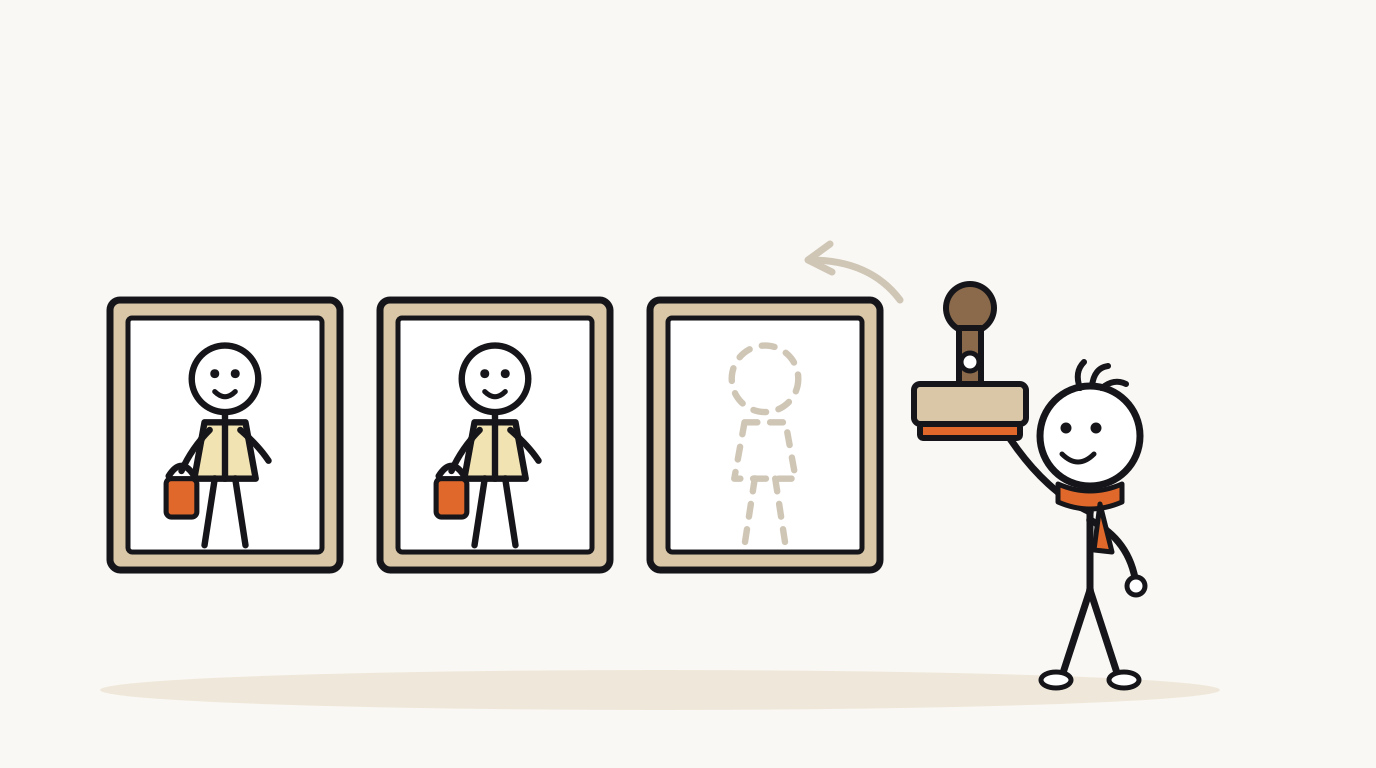
Why does an AI character change from scene to scene?
An image model does not remember the last picture it made. As Runway's guide puts it, by default AI "generates from scratch every time", and Kling's guide makes the same point: models "do not inherently recall past generations". Every scene is a new roll of the dice, and the only thing that ties the rolls together is what you put in.
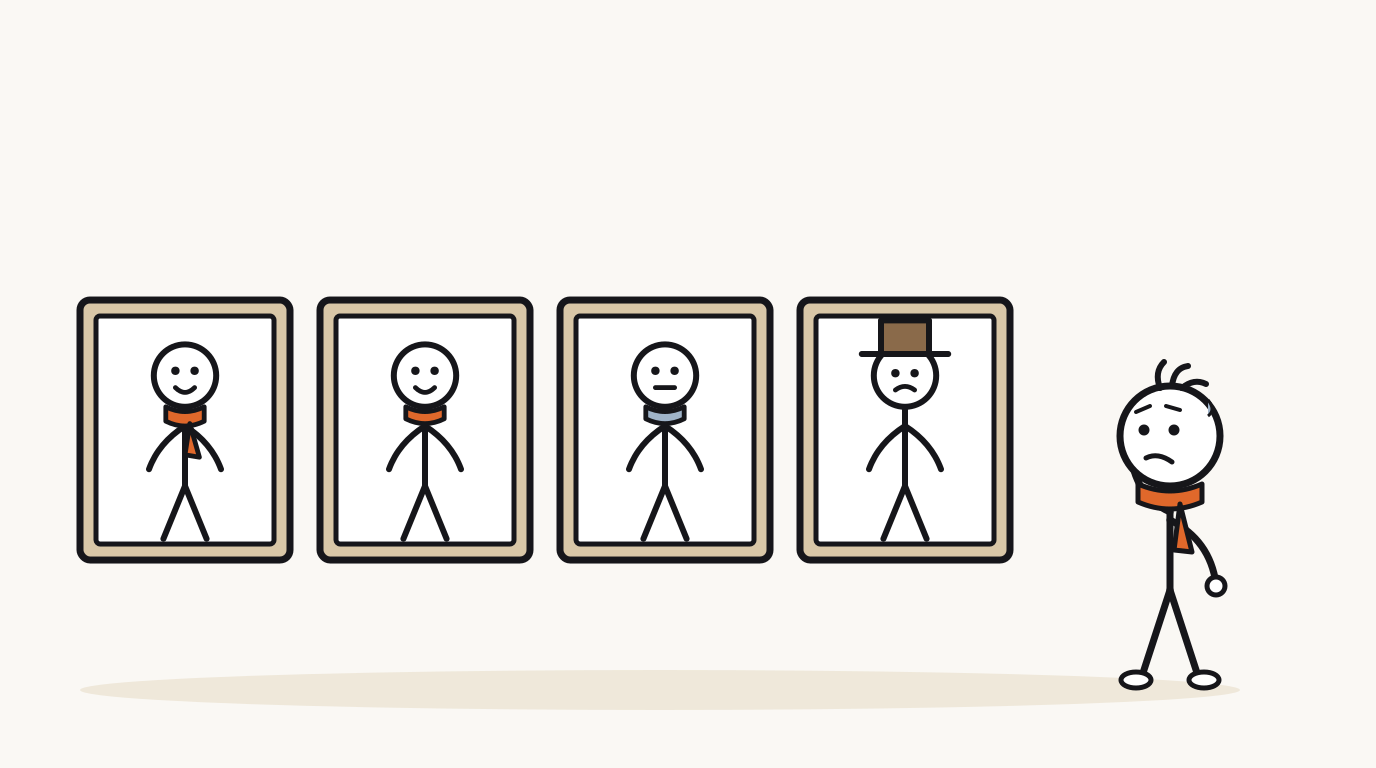
That changes the question. You are not trying to make the model remember your character. You are trying to make every request so similar that the model has little room to improvise. Anything you leave unsaid, it invents, and it invents differently each time.
Drift is not random either. It shows up in the details the prompt or reference left vague, and it compounds: once one scene shows the scarf in blue, a later scene built from that picture may push it further.
| What drifts | Why it drifts | Fix |
|---|---|---|
| Hair or hat | The description says "hair" without shape or color. | Name shape and color: "short curly brown hair," every time. |
| Clothing color | Two colors in the outfit, or a vague word like "colorful." | One garment, one named color: "a mustard-yellow raincoat." |
| The prop | The scene prompt forgets it, or the action leaves no free hand. | Mention the prop in every scene and plan which hand holds it. |
| Proportions | No reference image, or a close-up next to a full-body shot. | Use a full-body reference and keep most scenes full-body. |
| Face style | Mood words like "tired" or "scared" pull toward a more detailed face. | Describe expression with the same parts: "dot eyes, small frown." |
| Line style | A scene prompt adds a style word that fights the sheet. | Put style in the fixed description only, never in scene prompts. |
What should a character reference sheet include?
Animation studios solved this problem long before AI. A model sheet standardizes how a character looks so that many artists drawing different shots produce one recognizable character, and a drawing that departs from it is called "off-model." A reference sheet does the same job for an image model: it is the picture every scene is checked against.
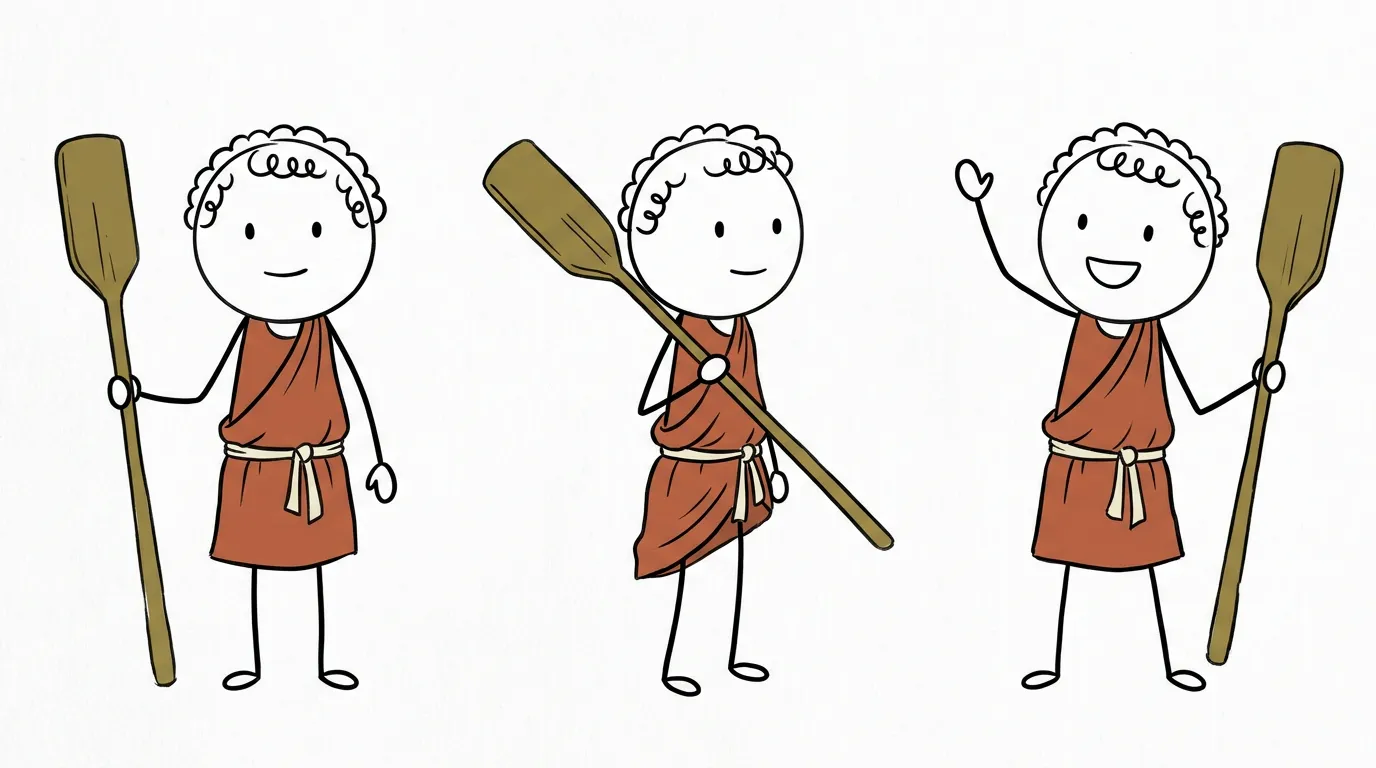
Here is a real one from StickTale, drawn before any scene of a Short about Roman workers. The same curly hair, red tunic, cream belt and wooden paddle appear in all three poses, so every later scene has one clear answer to "what does he look like from the side?"
- A front view, standing. The neutral pose every other drawing is compared to.
- A three-quarter or side view. Without it, the model guesses what the character looks like turned away, and guesses differ.
- One action pose with the prop. Shows how the item is held, so it doesn't change hands or size.
- One expression change. A smile or a wave proves the face stays simple when the mood changes.
- A plain background. Runway warns that references with heavy filters, odd angles or covered faces make worse anchors. Scenery on a sheet gets copied into scenes that don't need it.
How do you write a character description that doesn't drift?
Write one description, store it, and paste it into every request unchanged. Kling's guide warns against switching synonyms, such as "brown" one day and "brunette" the next. To a model, a different word is a different instruction.
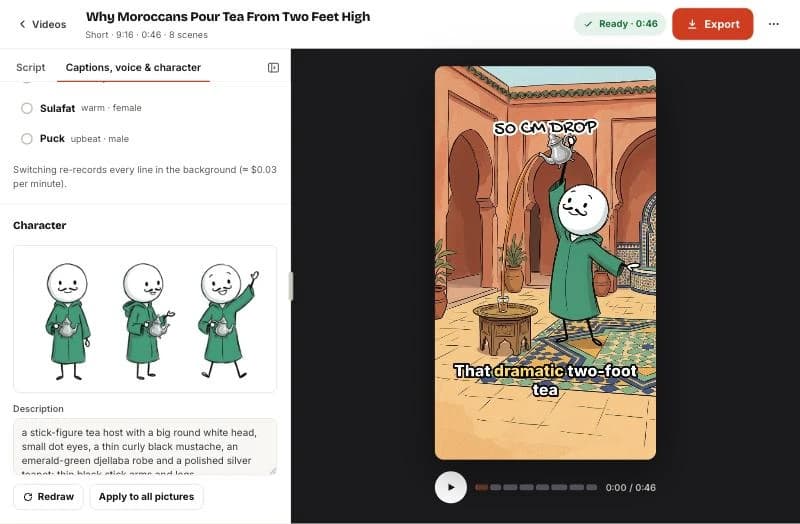
A good description for a stick figure names the fixed parts in a fixed order: body style, head, face, hair or headwear, one garment with one color, the signature item, then limbs. Here is the description behind the real tea-pouring Short in the screenshot:
"a stick-figure tea host with a big round white head, small dot eyes, a thin curly black mustache, an emerald-green djellaba robe and a polished silver teapot; thin black stick arms and legs."
It works because every word is visual and none is a mood. It doesn't say "friendly" or "wise," which the model would turn into different faces. Personality belongs in the narration and the poses, not in the description.
| Vague | Fixed | Why the fixed one holds |
|---|---|---|
| "An old sailor" | "a stick figure with a round white head, dot eyes, a short white beard, a navy knit cap and a coiled rope over one shoulder" | "Old" can mean anything; a beard and cap are drawable. |
| "A scientist in a lab coat" | "a stick figure with a round white head, dot eyes, round black glasses, a white knee-length coat and a green test tube" | Names the one item that sets this scientist apart from others. |
| "A cute explorer" | "a stick figure with a round white head, dot eyes, a tan wide-brim hat, a khaki shirt and a brass compass on a cord" | "Cute" changes the face; the hat and compass change nothing. |
Why give your character one signature item?
A stick figure has almost no features. Dot eyes and a round head look the same on every character, so viewers recognize yours by what it wears and carries. The Roman worker is "the one with the paddle." The tea host is "the one with the teapot."
The item also helps the model. A specific, named object in a specific color is easy to repeat, while a face is hard to describe in words. When a scene drifts, a missing or changed signature item is the first thing you will notice, which makes it a built-in alarm.
- Tie it to the topic. A lantern for a lighthouse story, a quill for a scribe, a stethoscope for a medical myth. It explains the character before the narrator does.
- One item, one accent color. If the outfit is muted, the item can be the only bright thing on screen, which also helps at thumbnail size.
- Pick something held or worn close. A scarf, hat or object in one hand survives most poses. A backpack disappears in front views.
- Keep it simple to draw. A silver teapot repeats well. A pocket watch with a visible chain and engraving will change in every scene.
How do you write scene prompts that keep the character the same?
Split every request into two parts: the fixed character block and the scene. The character block never changes. The scene part says what is happening, where, and what the character's hands and face do. Kling's guide recommends a fixed order of character first, then scene, then style.
Runway adds a rule that sounds backwards: when you use a reference image, remove appearance details from the scene prompt so the reference controls the look. The failure it prevents is a scene prompt saying "in a raincoat" while the sheet shows a specific raincoat. Two instructions about the same thing invite a compromise.
Here is the lighthouse Short planned scene by scene. Notice that the left column changes freely while the right column barely moves.
| Scene (what changes) | Character (stays fixed) |
|---|---|
| Climbing a spiral staircase at night, lantern raised. | Fixed description, lantern in left hand. |
| Winding a large brass clockwork mechanism with the right hand. | Fixed description, lantern set on the floor beside him. |
| Asleep in a chair, head tilted, the lamp above dimming. | Fixed description, lantern on his lap. |
| Waking with a jolt, eyes wide, rushing to the mechanism. | Fixed description, lantern in left hand. |
| Looking out of a window at a ship passing safely. | Fixed description, lantern in left hand. |
| Wide shot of the lighthouse from outside, a tiny lit window. | Character small in the window, raincoat still yellow. |
How do you catch and fix drift?
Review pictures the way viewers see them: small and fast. Put all scenes side by side at roughly thumbnail size next to the sheet, and look for the signature item first, then the garment color, then the hair. If you have to search for your character, so will the viewer.
Fix the smallest thing that works. One drifted scene needs one redraw, not a new video. If several scenes drift the same way, the problem is upstream: the description or the sheet is vague about that detail, so fix it there and redraw everything from the corrected version.
- Lay out every scene in order next to the reference sheet.
- Check the signature item in every frame: present, same color, same hand.
- Check the garment color and the hair or headwear.
- Mark scenes that fail. If one or two fail, redraw just those with the same character block.
- If three or more fail on the same detail, rewrite that detail in the description, redraw the sheet, then redraw all scenes.
- Watch the finished video once with the sound off. A character change you notice on mute is one viewers will notice too.
How do you keep a character consistent across a whole series?
A recurring character is a channel asset, so store it like one. Kling's guide suggests keeping a master file you consult every time. For a stick-figure series that file is short, and it saves you from rebuilding the character from memory in episode twelve.
Recurring characters work especially well for history explainer videos, where one guide can visit many eras, and for faceless YouTube channels that need a recognizable face without a real one. If you are new to the format, the full stickman video workflow shows where the character step fits.
- The approved sheet, saved as an image file with the date.
- The fixed description, as plain text you copy, never retype.
- The signature item and its color, written as one line.
- Allowed changes, such as a costume swap for a period episode, written down so they are deliberate.
- The voice and tone you pair with this character, so the series sounds as consistent as it looks.
Questions
Why does my AI character look different in every image?
Because image models don't remember earlier pictures; each one is generated fresh from your prompt and references. Any detail you leave vague is reinvented each time. Use the same reference sheet and the same written description for every scene, and change only the action and setting.
What is a character reference sheet?
A single image that shows your character from more than one angle, usually a front view, a side or three-quarter view and an action pose with any prop, on a plain background. Animators call it a model sheet. Every scene is generated with it as a reference and checked against it afterward.
Should I describe the character in every prompt if I use a reference image?
Keep one fixed description in a separate block, but don't add new appearance details in the scene prompt. A scene line like "in a red coat" can fight the reference and produce a compromise. Let the sheet and the fixed block define the look, and let the scene prompt describe only action and setting.
How do I fix one image where the character drifted?
Redraw just that scene using the same character block and reference, and simplify the scene if it was crowded. If the same detail drifts in several scenes, rewrite that detail in the description, redraw the sheet and regenerate all scenes from it.
Can I keep two characters consistent in the same video?
Yes, but give each its own sheet and description, and make them easy to tell apart: different garment colors, different signature items and ideally different hair or headwear shapes. Establish each one alone before you put them in the same scene.
Make your first stickman video
StickTale is in private beta. Join the waitlist and we’ll send your invite as soon as a spot opens.