Platform & money
How to Repurpose YouTube Shorts for TikTok and Instagram Reels: Limits, Specs and What to Change

By the StickTale team
· 10 min read
To repurpose a YouTube Short for TikTok and Instagram Reels, export one clean 9:16 master file with no app logo on it, keep it under three minutes, and upload that same file natively to each app. Then change the parts each app reads differently: the title or caption, the hashtags, the cover, and how captions are handled. Below are each platform's official limits as of October 2026, a side-by-side table, a worked example, and the exact steps.
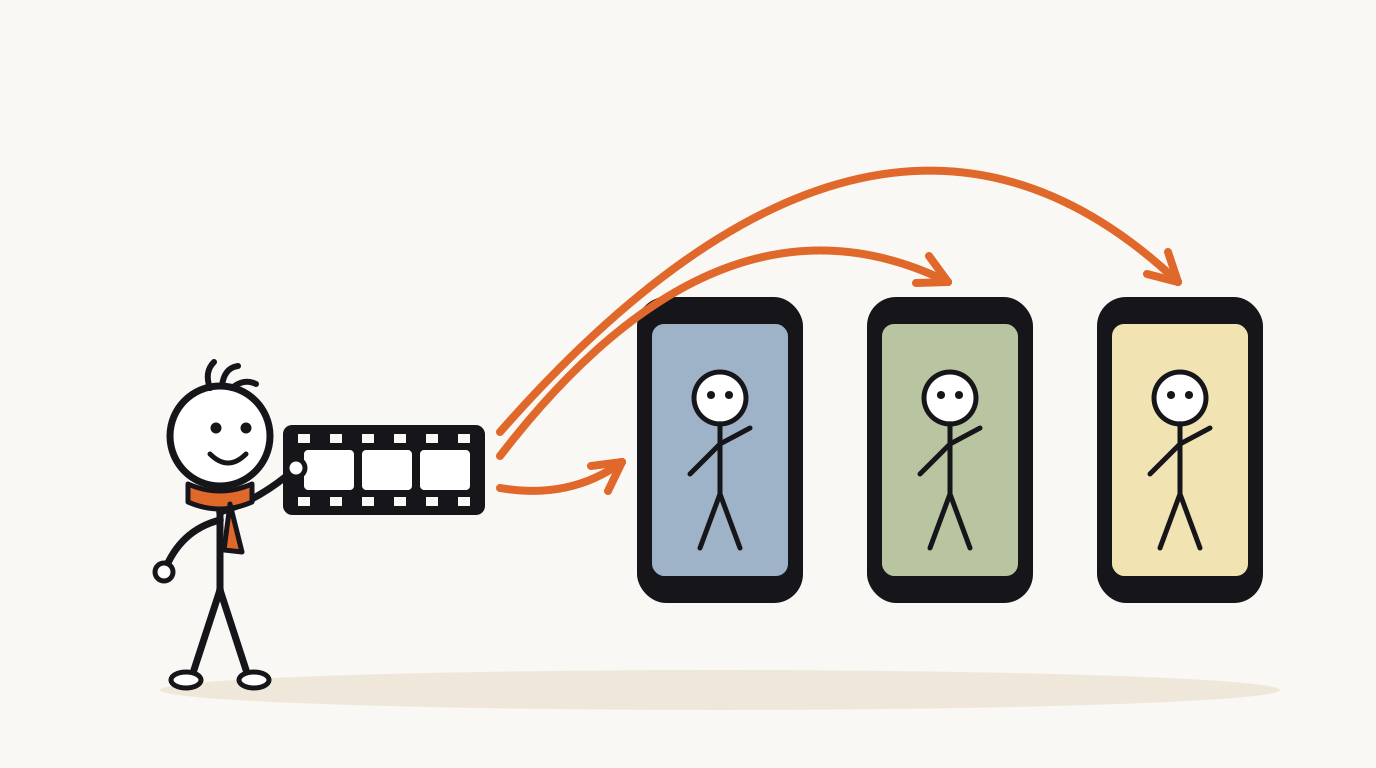
Can you post the same Short on TikTok and Instagram Reels?
Yes. If you made the video, posting it on all three apps is posting your own work. The originality rules on each platform target something else: reposting other people's videos without adding anything, and clips that carry another app's branding.
TikTok's Community Guidelines make reused or unoriginal content without creative edits ineligible for the For You feed, and give clips that show someone else's watermark or logo as the example. Instagram's help center lists Reels it shows less often, including ones that contain borders, logos or watermarks, and ones that are not original videos.
YouTube draws the same line for money. Its Shorts monetization policies count views on Shorts that reupload other creators' content from YouTube or another platform as ineligible. A video you made yourself is not that.
What are the length limits and specs on each platform?
Here is what each company's own help pages said when we opened them in October 2026. Limits change, so recheck before relying on an edge case.
YouTube counts a square or vertical video up to three minutes as a Short. TikTok's developer documentation says all creators can post 3-minute videos, while some have access to 5 or 10 minutes. Instagram lets you record and upload Reels up to 20 minutes, but notes that Reels over 3 minutes won't be recommended to new audiences.
| Rule | YouTube Shorts | TikTok | Instagram Reels |
|---|---|---|---|
| Maximum length | 3 minutes, square or vertical | 3 minutes for all creators; some accounts get 5 or 10 | 20 minutes |
| Recommended to new viewers | Up to 3 minutes as a Short | Not stated as a separate limit | Only up to 3 minutes |
| Aspect ratio | Square or vertical; 16:9 stays long-form | No ratio stated in the docs we opened; 9:16 fills the screen | Between 1.91:1 and 9:16 |
| File guidance | MP4, H.264, AAC-LC, 48 kHz audio; about 8 Mbps for 1080p at 24 to 30 fps | MP4 recommended (WebM, MOV accepted), H.264, 23 to 60 fps, sides 360 to 4096 px | At least 30 fps and 720 px; cover 420x654 px |
| Hashtags | In title or description; more than 60 and all are ignored | Added in the description on the post screen | Up to 5 per post |
| Title or caption | Title up to 100 characters | Description on the post screen | Caption written at upload |
| Originality signal | Reuploads of others' content earn no Shorts revenue | Reused content with someone else's watermark isn't eligible for For You | Logos, watermarks and borders are shown less |
| Payout length rule | Shorts up to 3 minutes can earn from the Shorts Feed | Creator Rewards pays only on videos of at least 1 minute (US terms) | No length rule in the pages we checked |
What file should you export once for all three apps?
The overlap of the table gives you one master file that meets every rule at once.
Frame rate is the one people miss. Instagram asks for at least 30 fps and TikTok's documented range is 23 to 60 fps, so a 24 fps export clears TikTok and misses Instagram's minimum. Exporting at 30 fps meets both, and YouTube's guidance is simply to upload at the frame rate you made the video in.
- Frame: 1080x1920 (9:16). It clears Instagram's 720 px minimum and sits well inside TikTok's 4096 px limit.
- Container and codecs: MP4 with H.264 video and AAC audio, which is YouTube's recommendation and TikTok's preferred format.
- Frame rate: 30 fps.
- Length: under 3 minutes. For a 45 to 60 second explainer this is never a problem.
- Clean frame: no borders, no logos, no "follow me on" end card naming one app.
- Captions: burned in, placed in the middle of the frame (more on this below).
What should you change for each platform?
The video stays the same. The text around it changes, because each app places and limits that text differently.
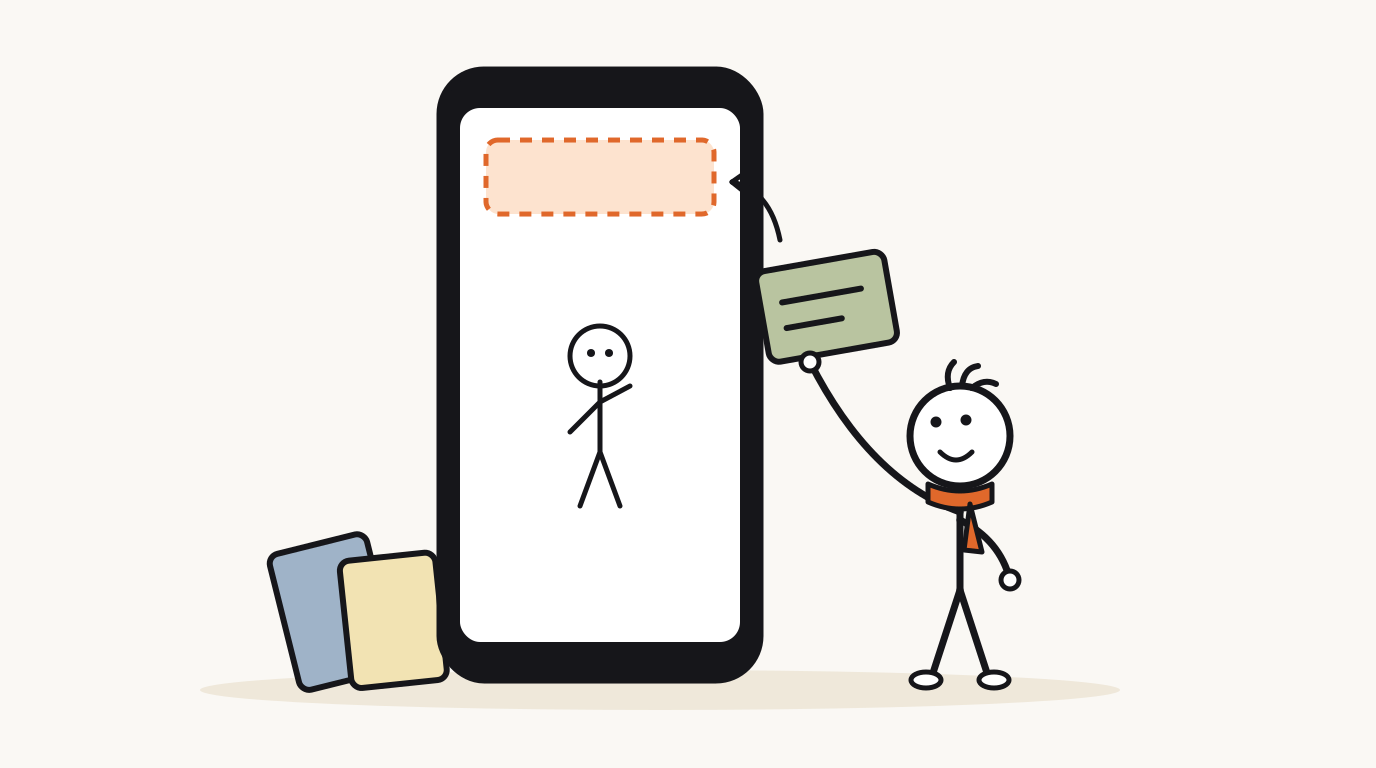
On YouTube, the title is the main text and up to three hashtags from the description show near it. On TikTok, the description sits over the bottom of the video itself. On Instagram, the caption sits below, and the hashtag cap of five forces you to pick only the most relevant ones.
| Element | YouTube Shorts | TikTok | Instagram Reels |
|---|---|---|---|
| Spoken hook | Keep | Keep, or test a shorter one | Keep |
| On-screen text in the first second | Optional | Useful: the description covers the bottom, so the top of the frame carries the hook on mute | Optional; avoid covering most of the frame with text |
| Title or caption | A question title under 100 characters | One line that restates the hook, then hashtags | One or two lines, then up to 5 hashtags |
| Hashtags | 2 to 3 relevant ones; the first three can show near the title | 3 to 5 topic tags | 5 at most, by rule |
| Cover | Pick a frame with the clearest picture | Pick a frame with the clearest picture | Choose at upload; the help page says it can't be edited later |
| Length | Keep | Keep; at 1 minute or more only if the story needs it | Keep under 3 minutes |
How do captions and safe zones work across three apps?
All three apps lay buttons over the right edge of a vertical video and text over the bottom. None of the help pages we opened gives a pixel measurement for organic posts, so the practical rule is to design for the union of all three: keep captions and labels in the middle of the frame, clear of the right-hand column and the bottom band. Our guide to captions for YouTube Shorts covers sizes and styles in detail.
TikTok adds one trap. Its help center says auto-generated captions are created for videos you upload, and you can edit or remove them. If your captions are already burned in, remove the auto captions after posting, or viewers who have captions on get the same words twice.
Instagram also shows Reels less often when most of the image is covered by text, so keep captions to two lines.
A worked example: one leap-year Short, three versions
Here is a 50-second explainer built from one fact on NASA's Space Place: Earth takes about 365 days and 6 hours to go around the Sun, so the calendar adds a day roughly every four years. The arithmetic is the payoff: 6 hours a year times 4 years is 24 hours, one full day.
Narration and pictures stay identical on all three apps; only the text packs change.
- YouTube: title "Why does February sometimes have 29 days?" (43 characters), description of two sentences, hashtags #science #space #calendar.
- TikTok: first frame shows the 6 HOURS label large in the upper third; description "Your calendar is off by 6 hours every year. Here's how it catches up." plus #science #space #calendar #leapyear.
- Instagram: caption "The calendar has a 6-hour problem, and February 29th is the fix." plus five hashtags at most; cover set to the FEB 29 frame.
Why does February sometimes have 29 days?
- 6 HOURSYour calendar is wrong by about six hours. Every single year.
- A year is one trip around the Sun. We call it 365 days.
- 365 + 6 HRSBut the trip actually takes about 365 days and 6 hours.
- Ignore those 6 hours, and the calendar slips a quarter of a day behind every year.
- 4 x 6 = 24After four years, that's 24 hours. One whole missing day.
- FEB 29So roughly every four years, we hand the calendar its day back: February 29th.
- Your calendar is still wrong by six hours today. It just pays the debt in one go.
Step-by-step: how to repurpose a YouTube Short for TikTok and Reels
The first two steps happen once per video; the rest repeat per app.
- Export the master: 1080x1920, MP4, H.264, AAC, 30 fps, no logos or borders, captions in the middle of the frame.
- Write three text packs in one document: a YouTube title under 100 characters, a TikTok description with 3 to 5 hashtags, an Instagram caption with at most 5 hashtags.
- YouTube: upload in YouTube Studio, paste the title and description, set to Private, check the preview on a phone, then publish.
- TikTok: upload the same master. If you need to trim, use the phone app, because TikTok says a web upload uploads the entire video. Set the video language, post, then remove auto captions if yours are burned in.
- Instagram: turn on Upload at highest quality, upload the master, choose the cover carefully (it can't be changed later), paste the caption, share.
- Disclosure check: stylized drawings don't need TikTok's AI label, since its guidelines exempt artistic styles, but realistic-looking AI scenes do. For YouTube's rules, see is AI content allowed on YouTube.
- Review after a week: compare views and how many viewers kept watching on each app, and note which text pack and hook did best.
Does repurposing change how you earn?
Each app pays on its own terms, and length is where they pull apart. YouTube's Shorts revenue sharing covers Shorts up to three minutes in the Shorts Feed. TikTok's US Creator Rewards terms pay only on videos of at least one minute, and require 10,000 followers and 100,000 views in the last 30 days to join.
That makes the one-minute line a real decision for explainers. A 55-second Short earns nothing from Creator Rewards. Reaching 61 seconds at a calm 2.5 words a second means about 15 more words, roughly one more beat of explanation. Add it only if the story has that beat; padding a tight Short to cross a line usually costs more viewers than it earns.
For how Shorts revenue is split and what moves it, see YouTube Shorts monetization.
Questions
Is it okay to post the same video on YouTube Shorts, TikTok and Instagram Reels?
Yes, if it is your own video. The originality rules target reposting other people's content without changes and clips carrying another app's watermark or logo. Upload your original export to each app rather than a file saved out of another app.
Do watermarks hurt reach on Instagram Reels and TikTok?
Instagram's help center says Reels with logos or watermarks are shown less often, and TikTok's guidelines make reused clips that show someone else's watermark or logo ineligible for the For You feed. A clean export avoids both problems.
What length works on Shorts, TikTok and Reels at the same time?
Anything up to three minutes in 9:16. That is YouTube's Shorts limit, the length every TikTok creator can post, and the cutoff past which Instagram stops recommending Reels to new audiences. Most explainer Shorts land between 45 and 60 seconds.
Should I use the same hashtags on every platform?
No. Instagram allows up to five per post, YouTube ignores all hashtags on a video that has more than 60, and TikTok hashtags go in the description. Pick three to five topic hashtags and adjust the count per app.
What resolution and frame rate should I export for all three?
1080x1920 at 30 fps as an MP4 with H.264 video and AAC audio. That meets Instagram's 30 fps and 720 px minimums, TikTok's documented range, and YouTube's recommended upload settings.
Make your first stickman video
StickTale is in private beta. Join the waitlist and we’ll send your invite as soon as a spot opens.