Growth
YouTube Thumbnail Ideas for Explainer Channels, With Stick Figures

By the StickTale team
· 10 min read
The best thumbnail ideas for an explainer channel show one subject, one reaction and no more than three or four words, with strong contrast so it still reads at the size of a fingernail. Faceless channels can't rely on a host's face, so a simple character with an exaggerated expression and one strange object does the same job. Below are eight layouts that suit explainer topics, with the size and contrast rules that make them work.
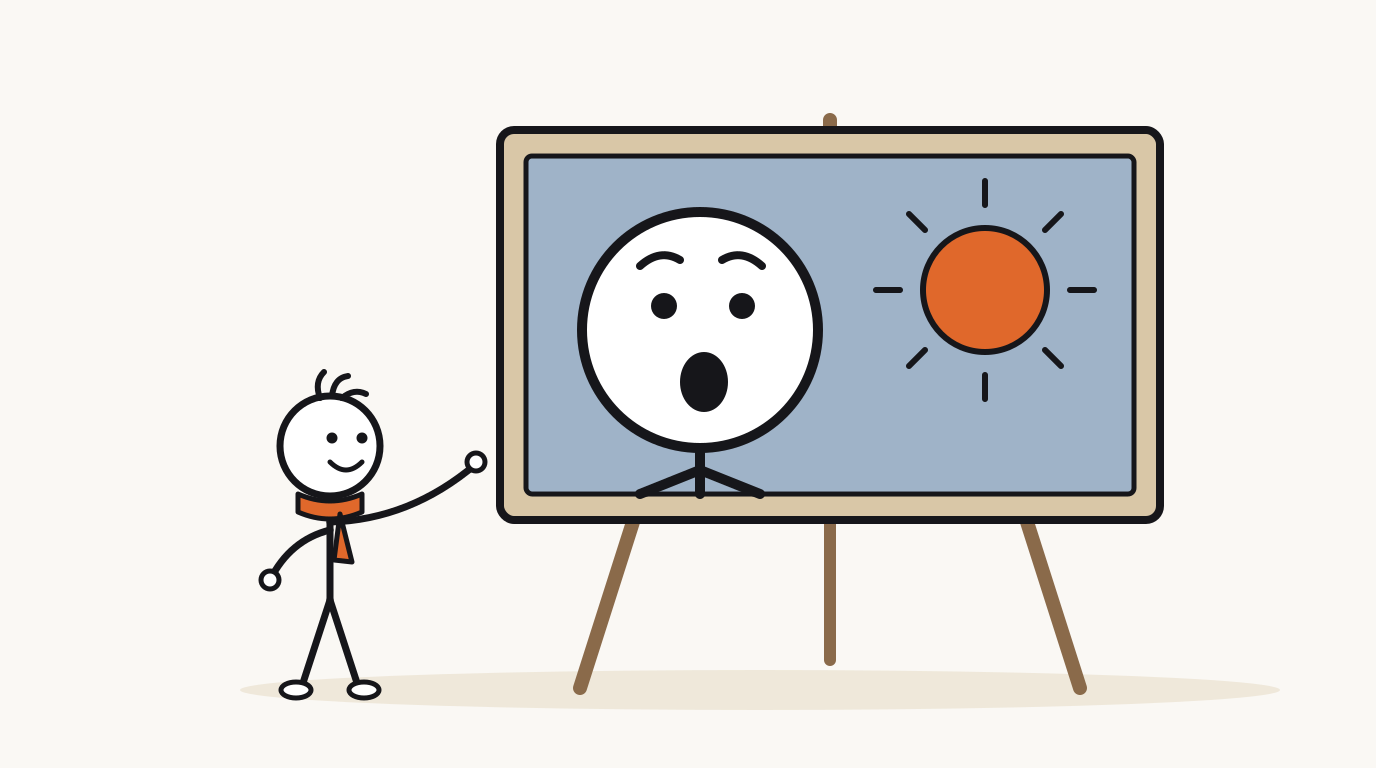
What makes a thumbnail work for an explainer channel?
Most thumbnail advice is written for channels with a host: show your face, show emotion, make eye contact. A faceless explainer channel has no face to show, so the character does that work. A simple stick figure with wide eyes and an open mouth reads as "something surprising happened" just as fast as a photo of a person.
The other half is the object. Explainer videos answer a question about a thing, so the thumbnail should show that thing at its strangest. A viewer scanning a grid sees a reaction and a reason for it, and the title adds the question. YouTube's performance FAQ asks for thumbnails that "accurately represent your content", which for an explainer simply means: show the actual subject of the video.
- One subject. A character and one object. If you need a second object, it should be a comparison, like a shark next to a tree.
- One emotion. Surprise, confusion, worry or delight. Pick the one the viewer will feel at the payoff.
- Room to breathe. Empty background around the subject is what makes it pop at small sizes.
8 thumbnail ideas for explainer videos
These eight layouts cover almost every explainer topic. Each one has a job: some show a comparison, some show a reaction, some show a mystery. Pick the layout that matches the strangest fact in your script, not the one you used last time.
The example topics are real explainer questions, and the facts behind them link to a source.
| Layout | What's in the frame | Example topic | Words (optional) |
|---|---|---|---|
| 1. Reaction plus object | Huge character head on one side, the strange object on the other | Why the Eiffel Tower leans away from the sun (up to 18 cm) | IT MOVES |
| 2. Side-by-side comparison | Two objects at a surprising scale, character pointing at the smaller one | Sharks are older than trees (about 450 vs 385 million years) | SHARKS FIRST |
| 3. Crossed-out myth | The familiar wrong image with one big X over it | Goldfish don't have 3-second memories (at least three months) | MYTH |
| 4. Before and after | Same object twice, an arrow between, character amazed at the second | How a caterpillar turns into a butterfly | NONE |
| 5. The big number | One huge number, small character looking up at it | How long sharks have existed | 450,000,000 YEARS |
| 6. The zoom | A magnifying glass over one small detail of a bigger object | What's really inside a grain of sand | LOOK CLOSER |
| 7. The mystery object | An object half hidden under a cloth, character peeking | What ancient humans did all night | BORING? |
| 8. Character in trouble | The character mid-problem, worried face, one cause in view | What happens if you never sleep | DAY 3 |
How many words should a YouTube thumbnail have?
Three or four words at most, and often none. The title is already sitting right next to the thumbnail, so thumbnail text that repeats it wastes the most valuable pixels you have. The words should add an emotion, a number or a contradiction that the title doesn't carry.
Short words also stay large. Two words fill the width of a thumbnail with big letters; eight words force small letters that disappear on a phone. If your thumbnail needs a sentence to make sense, the picture isn't doing its job yet.
| Title | Repeats the title | Adds something |
|---|---|---|
| Why the Eiffel Tower leans away from the sun | EIFFEL TOWER LEANS | IT MOVES |
| Sharks are older than trees | SHARKS ARE OLDER | SHARKS FIRST |
| The goldfish memory myth | GOLDFISH MEMORY | 3 SECONDS? |
| What did ancient humans do all night? | ANCIENT HUMANS AT NIGHT | BORING? |
How do stick figures read at small sizes?
Stick figures have an advantage: they are already simple. But the thin lines that look elegant in a full-screen video can vanish in a thumbnail. A figure drawn for a 1920-pixel frame needs adjusting before it carries a 200-pixel card.
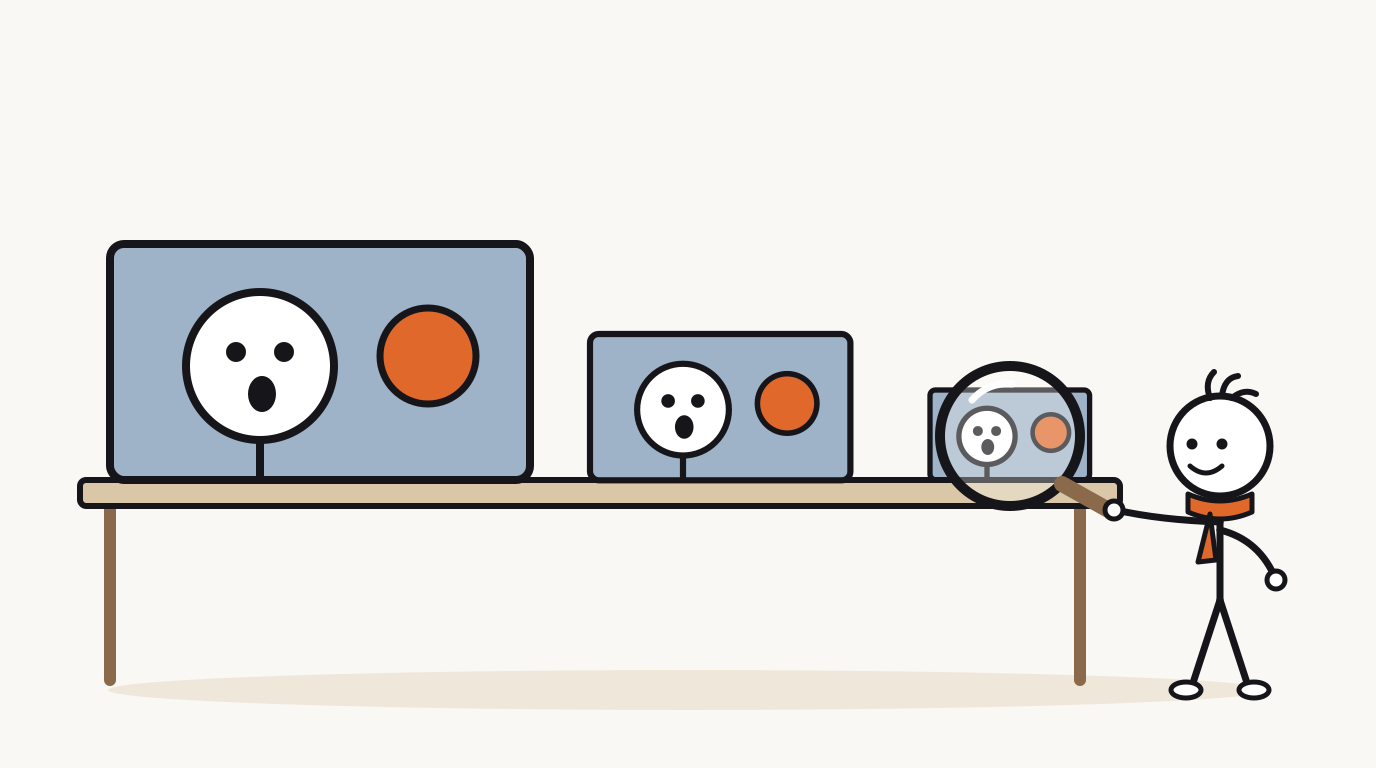
The fix is to zoom in and thicken. In the video, the character is a small figure in a scene. In the thumbnail, crop to the head and shoulders, so the face is a big white circle against a colored background. Dot eyes and a mouth are enough, as long as they are large.
- Head size: let the head take up roughly a third to half of the thumbnail's height.
- Line weight: thicken outlines so they survive shrinking. Hairline details like fingers or texture will disappear anyway.
- Expression: exaggerate. Eyes wider, mouth bigger, eyebrows higher than in the video.
- Props: one, drawn large. A tiny prop next to a big head reads as a smudge.
- Costume: a single signature color, like a red tunic or orange scarf, helps the character stay recognizable across videos.
Which colors and contrast make thumbnails stand out?
Contrast matters more than any single color. A white stick-figure head on a pale background disappears; the same head on a saturated blue or deep orange background jumps out. Viewers browse YouTube in both light and dark themes, so a thumbnail that relies on a white background can melt into the page for some of them.
Pick one background color and one accent per thumbnail. The background separates your subject from the page; the accent marks the one thing you want the eye to land on, like the sun next to the Eiffel Tower or the X over a myth.
| Background | Accent | Good for | Watch out for |
|---|---|---|---|
| Saturated blue | Orange or yellow | Science and space topics | Dark blue can merge with dark mode; keep it bright. |
| Warm orange | White and black | History and "why" questions | Orange text on orange loses contrast; use white with a black outline. |
| Deep green | Yellow | Nature and animal topics | Avoid red accents, which are hard to tell from green for some viewers. |
| Off-white or beige | Red or black | Paper-style channels | Blends into light mode; add a dark border or bold shapes. |
How do you keep thumbnails consistent across a channel?
Consistency is how a faceless channel gets a face. YouTube's recommendation system help page puts it plainly: "a consistent title and thumbnail style makes your videos instantly identifiable". When a returning viewer recognizes your thumbnail before reading it, you get the click even in a crowded feed.
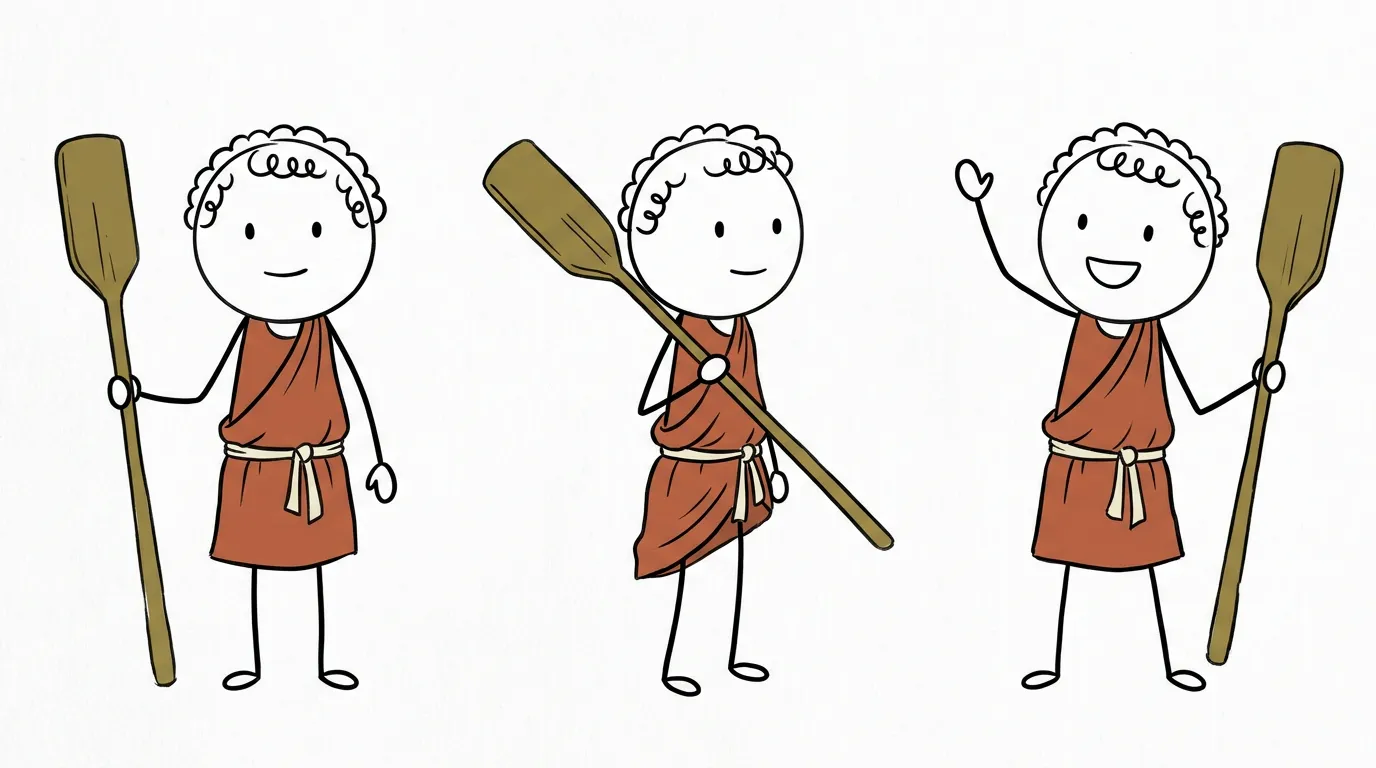
Consistency doesn't mean every thumbnail looks the same. Fix the system and vary the content: same character, same lettering style, same position for the words, a set color per series. Then change the object, the expression and the layout to suit each topic.
- Pick one recurring character and one signature color for it.
- Choose one lettering style and always put the words in the same corner.
- Give each series its own background color, for example blue for science, orange for history.
- Keep a folder of finished thumbnails and look at them side by side before publishing a new one.
- Change only one element of the system at a time, so you can tell what made a difference.
What size should a YouTube thumbnail be?
YouTube's thumbnail help page lists the current requirements. Your account must be verified to upload custom thumbnails, and there is a daily upload limit for custom thumbnails, so batch-uploaded videos may need a second day.
For Shorts, the same page says custom thumbnails can only be added in YouTube Studio on a computer. It also notes that vertical videos with 16:9 custom thumbnails are replaced by an auto-generated 4:5 thumbnail on the home, explore and subscriptions pages, so give vertical videos a vertical thumbnail.
| Setting | Regular videos | Shorts |
|---|---|---|
| Recommended size | 3840 x 2160 px | 2160 x 3840 px |
| Minimum | 640 px wide | 640 px tall |
| Aspect ratio | 16:9 | 9:16 |
| Formats | Image formats such as JPG or PNG | Image formats such as JPG or PNG |
| File size | 2 MB from mobile, 50 MB from desktop | 50 MB from desktop |
| Where to add it | YouTube Studio or the mobile app | YouTube Studio on a computer |
How do you test YouTube thumbnails?
YouTube has a built-in test for long-form videos. The A/B test help page says you can test up to 3 thumbnails, and the one with the highest watch time is shown to all viewers. Tests run from YouTube Studio on a computer and usually finish within two weeks. Shorts can't be tested this way at this time.
Because the winner is chosen by watch time, the test rewards thumbnails that attract viewers who stay. That makes it useful for comparing layouts: test a reaction thumbnail against a comparison thumbnail for the same video, then note which layout won.
- Make three thumbnails using three different layouts from the list above.
- Run the squint test on each, and drop any that fail.
- Start the test right after publishing and don't change the title or thumbnail until it ends.
- Record the winning layout in a simple sheet: topic, layout, result.
- After ten tests, make your strongest layout the default for that series.
Questions
Do faceless channels need faces in thumbnails?
No. A drawn character with a clear, exaggerated expression does the same job as a face: it tells the viewer what to feel. Stick-figure channels use a big head, wide eyes and one strange object instead of a photo.
How much text should a YouTube thumbnail have?
Three or four words at most, and often none. Use words that add something the title doesn't say, like an emotion, a number or a contradiction, and make them large enough to read on a phone.
What is the best size for a YouTube thumbnail?
YouTube's help page recommends 3840 x 2160 pixels at 16:9, with a minimum width of 640 pixels, as a JPG or PNG. Shorts thumbnails are 9:16, recommended at 2160 x 3840 pixels.
Can you change a Shorts thumbnail?
Yes, but YouTube's help page says custom thumbnails for Shorts can currently only be added in YouTube Studio on a computer. Use a vertical image, because 16:9 thumbnails on vertical videos get replaced by an auto-generated 4:5 version on some pages.
How do I know if my thumbnail is working?
For long-form videos, run YouTube's A/B test with up to three thumbnails and let it pick by watch time. Then compare impressions click-through rate against your own recent videos, not against other channels.
Make your first stickman video
StickTale is in private beta. Join the waitlist and we’ll send your invite as soon as a spot opens.