Start here
Make your first stickman video
You only need a question. StickTale researches it, writes the script, draws every scene with one recurring character and records the narration. You can change everything afterwards.

Type your question
Open the app and type one specific question in the box. A question with a surprising answer makes the best hook: “Why did ancient Romans pee in their laundry?” works better than “Roman history”.
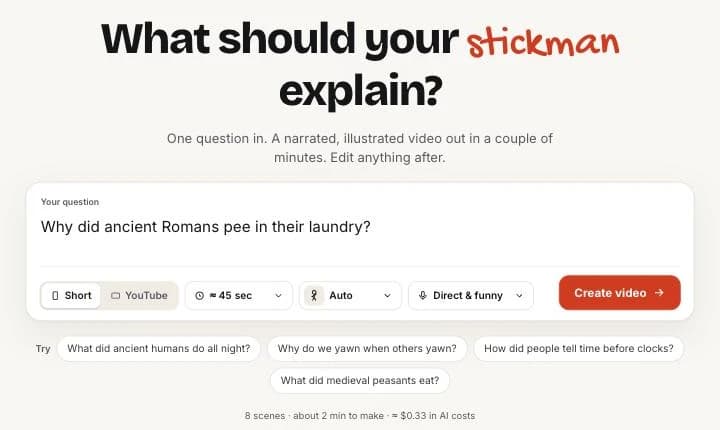
Not sure what to ask? Click one of the suggestions under the box to fill it in.
Pick a format and length
Short makes a vertical 9:16 video for YouTube Shorts, TikTok and Reels. YouTube makes a horizontal 16:9 video.
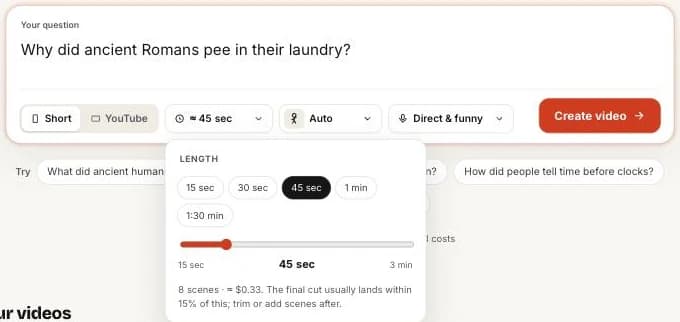
Click the length to choose a preset or drag the slider. Shorts go from 15 seconds to 3 minutes; YouTube videos from 1 to 20 minutes. The menu shows how many scenes that makes, at about one picture every five seconds.
- 45 to 60 seconds is the sweet spot for an explainer Short.
- 6 to 12 minutes works well for long-form, split into three or four chapters.
Choose a character and tone (or leave them on Auto)
On Auto, the writer picks a recurring character that fits your topic, like a Roman laundry worker for a Rome story. You can also pick a preset or describe your own. Whatever you describe is drawn as a stickman. More in choosing a character.
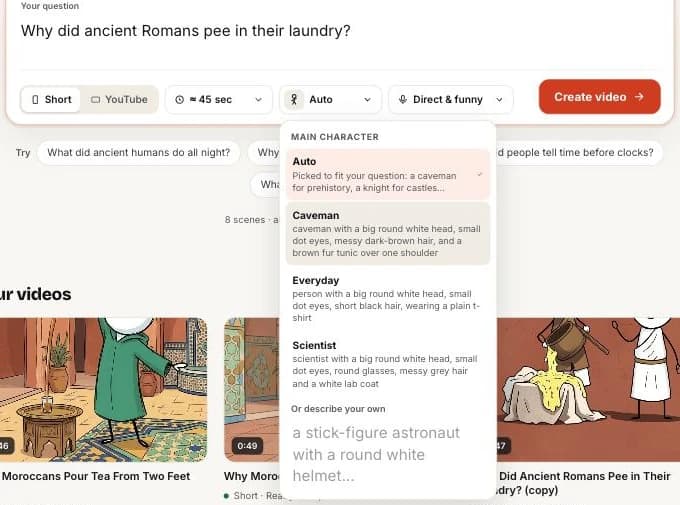
The tone sets how the script is written and read, and which music plays. Direct & funny is the default. See tone, voice and music.
Click Create video and watch it build
StickTale opens the Studio and shows each step as it happens: research, the script, the character sheet, then pictures and narration for every scene. Scenes appear one by one, and you can read and edit the script while the pictures are still being drawn.
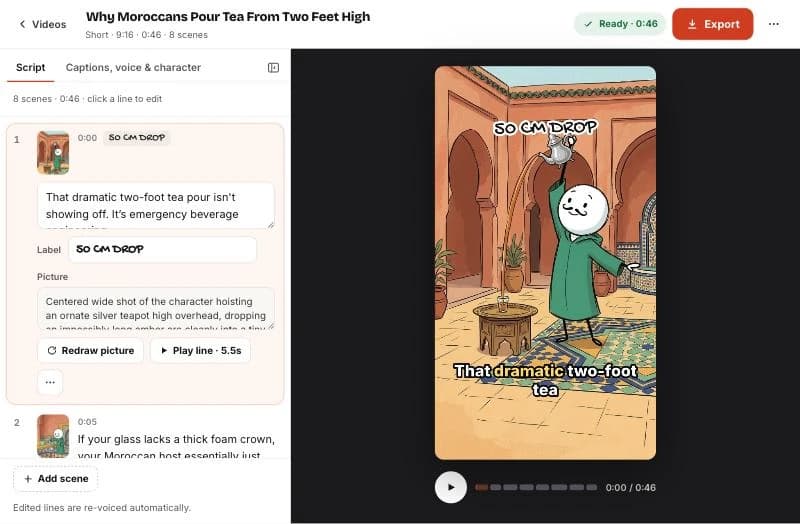
A 45-second Short usually takes about two minutes. Longer videos take longer because there are more scenes to draw.
- Research: notes from Google Search, with sources.
- Script: a hook, an open loop, the story and a payoff, then a fact-check pass.
- Character sheet: your stickman drawn in three poses.
- Scenes: every picture drawn from that sheet, narrated in one continuous take.
Watch, fix, export
Press play to watch the whole video. If a line or picture is off, fix just that scene: see editing lines and pictures. When you are happy, click Export to download the MP4 and your upload kit. See export and upload.
Related help



Updated October 22, 2026 · Still stuck? support@sticktale.com
Make your first stickman video
StickTale is in private beta. Join the waitlist and we’ll send your invite as soon as a spot opens.